|
|
|

Take a One-on-One Class or Group
Computer Class (2
or more students)
Choose the Program that you want to learn
Click on the Table of Contents above any book to view what is covered
Click
Computer Classes for Class Information
Call Patricia at 559 225-9957
Leave a message on my landline
I will return your call
|
Microsoft Office 365 |
||
|
The Basics! |
Crash Course in
|
Microsoft Excel |
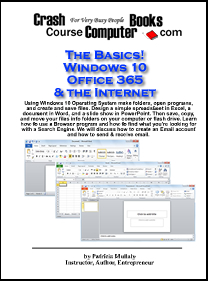
Turn on, shut down, pin an icon, task bar, title bar, and start
menu are a few things to know to navigate around the Windows Operating System.
Create new folders, name folders, and organize folders on the computer. Then
instead of typing a letter on a typewriter and putting it into the file cabinet
folder, programs let you type it, save it to your computer's folder, and later
open, edit, print, or even email it to someone. Learn the basics
of the Word, Excel, PowerPoint, and Outlook programs. Design a simple spreadsheet in
Excel, a document in Word, and a slide show in PowerPoint. Then save, copy, and
move your files into your folders. Then get familiar with Outlook the most
used Email program in businesses today. Learn how to create, send, & receive
emails.
|
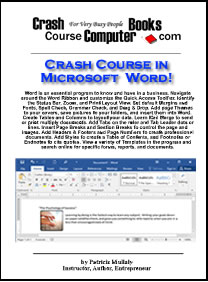
This is just Word. This goes
way beyond The Basics class navigating around the Word Ribbon and customizing the Quick Access
Toolbar. Identifying the Status Bar, Zoom, and Print Layout View. Set default
Margins and Fonts, Spell Check, Grammar Check, and synonyms. Save your company logo and insert
it into your Word document. Add borders, watermarks, shapes, and create tables and columns to layout your data.
Add a themed cover page to your document. Use Mail Merge to create one
document and send it to multiple people. Insert
page breaks, add headers & footers and page numbers to create professional
documents. View a variety of Templates in
the program and search online for specific forms, reports, documents, and
images.
|
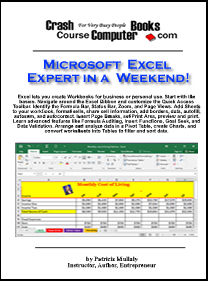
Excel is a spreadsheet program. In this class you
will create a workbook that can be used for personal or business purposes like
tracking your business or personal income and expenses. We start with the basics. Identify what you're
looking at. Navigate around the Ribbon, customize the Quick Access Toolbar,
identify the Formula Bar, Status Bar, Zoom,
and Page Views. Add Sheet tabs to your workbook, copy, move, and format cells,
add borders, add formulas to the spreadsheet, share cell information. Autofill, auto sum, and autocorrect.
Set print area, add page breaks, print preview, and print. Learn advanced features like Formula Auditing, Functions, Goal
Seek, and Data Validation. Arrange and analyze data in a Pivot Table, create
Charts, and convert worksheets into Tables to filter and sort data.
|
|
QuickBooks Online and Desktop Versions |
||
|
Accounting on the Internet |
Quick Accounting with |
|
|
QuickBooks Online is an Accounting Cloud based
Program that tracks the Income and Expenses of a business accessing the program
from the Internet. With a username and password you can open this Online edition
of QuickBooks from any computer connected to the Internet. In
this book you will create a company file from scratch. Learn how to create a
Chart of Accounts. Add vendors, customers, and items you sell. Create invoices
and sales receipts to track sales. Learn how each window works together when you
enter bills, pay bills, write checks, transfer funds, make deposits and
reconcile bank statements. Generate a variety of Reports for tax purposes,
financial institutions, and to keep track of your business progress.
Click the Table of Contents 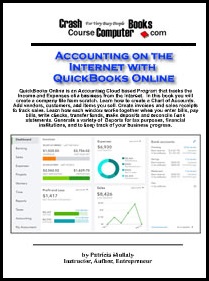
|
Call Patricia Mullaly at |
After July 31, 2024, Intuit will no longer sell new subscriptions in the US of
QuickBooks Desktop Pro Plus. It's currently $399 and can be updated if purchased
before July 31, 2024. After that date you can only get Enterprise
which starts at $1922/yr or use the Online Edition.
QuickBooks Desktop is an Accounting Program that tracks the Income and Expenses
of a business on your computer.
Create a company file from scratch and add folders to the Chart of
Accounts to track your income and expenses. Add
vendors, customers, and items you sell. Create invoices and sales receipts.
Learn how each window works together when you enter bills, pay bills, write
checks, transfer funds, make deposits and reconcile bank statements. Generate a
variety of Reports for tax purposes, financial institutions, and to keep track
of your business progress.
Click the Table of Contents 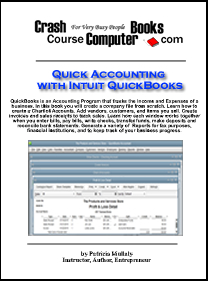
|
|
Microsoft PowerPoint |
Microsoft Access |
Microsoft Outlook |
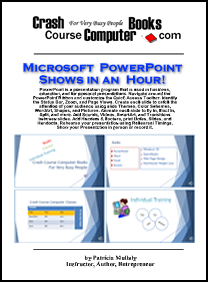
PowerPoint is a presentation program that is
used in business, education, and for personal presentations. Navigate around the
PowerPoint Ribbon and customize the Quick Access Toolbar. Identify the Status
Bar, Zoom, and Page Views. Create each slide to catch the attention of your
audience using Themes, Color Schemes, WordArt, Shapes, and Pictures.
Animate each slide to fly in, float in, split, and more. Add Sounds, Videos, SmartArt, and Transitions between slides. Add Headers & Footers, print Notes,
Slides, and Handouts. Rehearse your presentation using Rehearsal Timings, Show
your Presentation in person or record it
|
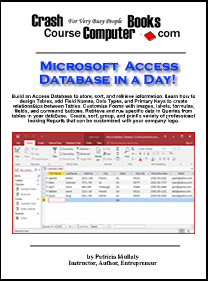
Build an Access Database to store, sort, and retrieve information. Learn how to
design Tables, add Field Names, Data Types, and Primary Keys to create
relationships between Tables. Customize Forms with images, labels, formulas, fields,
and command buttons. Retrieve and run specific data in Queries from tables in
your database.
Create, sort, group, and print a variety of professional looking Reports that
can be customized with your company logo.
|
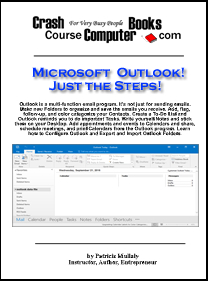
Outlook is a multi-function email program.
It's not just for sending emails. Make new Folders to organize and save the
emails you receive. Add, flag, follow-up, and color categorize your Contacts.
Create a To-Do List and Outlook reminds you to do important Tasks. Write
yourself Notes and stick them on your Desktop. Add appointments and events to
Calendars and share, schedule meetings, and print Calendars from the Outlook
program. Learn how to Configure Outlook and Export and Import Outlook Folders.
|
Choose the Program that you want to learn.
Click on the Table of Contents above any book to view what is covered.
Copyright ©2012 Crash Course Computer Books, All rights reserved worldwide.
Logos and Trademarks are owned by their respective companies and are used by permission.
Disclaimer |
Privacy